Your space, connected
Your account.
One account for Symvibe on the web and your Mac.
Test mode · No real payments. Test subscriptions do not unlock the Mac app.
Sign in to the Mac app
Restoring your session…
Your whole workspace. 10,000 credits every month.
Needs a Mac with Apple silicon (M1 or later) and macOS 14 or later.
Taxes calculated at checkout.
By continuing with Google or creating an account, you agree to our Terms and Refund Policy and acknowledge our Privacy Policy.
New to Symvibe?
- Account
- Payment
We sent a link to
Waiting for you to open the link…
Can’t find it? It comes from noreply@symvibe.com. Look in Spam or Junk and mark it as not spam.
Wrong address?

Your app
Symvibe for Mac
Your agents, together on one board. Download the app, or open it if it is already installed.
If nothing opened, launch the app from Applications. Builds up to 1.0.41 still show its former name, Hypervibe. On your first visit, choose Sign in in the app, then continue with this account in your browser.
- Version
- Download
- Disk image (DMG)
- Requires
- macOS 14Sonoma or later
- Chip
- Apple siliconM1 or later
Checking the latest Mac release…
Verify the download
SHA-256 checksum. Compare it with shasum -a 256 on the DMG.
Your plan
CheckingSymvibe Pro includes
- The Mac app, with every update while you are subscribed
- Voice planner and spoken replies, within account usage limits
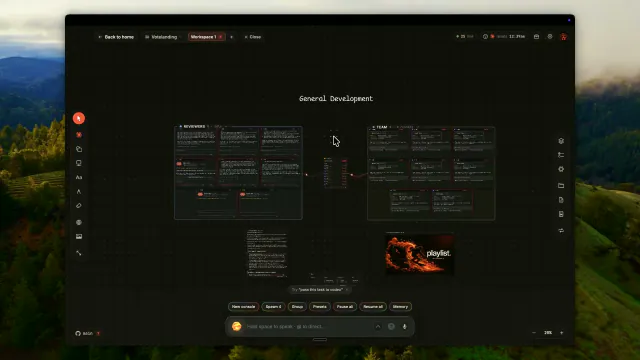
- Teams, handoffs, loops and the mission map
- Documents, diagrams, code and markdown studios
Manage subscription
via PaddleRefund
Your account
Profile
Your boards, files and Mac avatar stay on your device.
Sign-in methods
Use Google or email with the same account, here and in the Mac app.
- Email and password
First steps
Getting your account ready
- Make it yours
Verify your email to connect your account.
- Confirm your plan
Checking your access.
- Settle in on your Mac
Install Symvibe, then sign in with the same account.
Open the app and choose Sign in. Finish in your browser, then return to your board.